v1.2.1 Are you tired of subscriptions and under-featured apps?

No subscriptions.
No monthly fees.
No missing features.

Tired of paying every month for software that still doesn’t do what your shop needs? Buy Aurum Commerce once and it’s yours — sales, payments, receipts, stock, tax and backups, all on your own Windows PC. Selling, receipts, inventory and reports work without internet.

By downloading you agree to the Trial Terms.

One-time purchaseFree 30-day trialSell without internetFull feature set

Free 30-day trial · Windows 10 & 11 · 64-bit · Version 1.2.1 · Made in Timmins, Ontario

You can unsubscribe at any time. See our privacy policy.

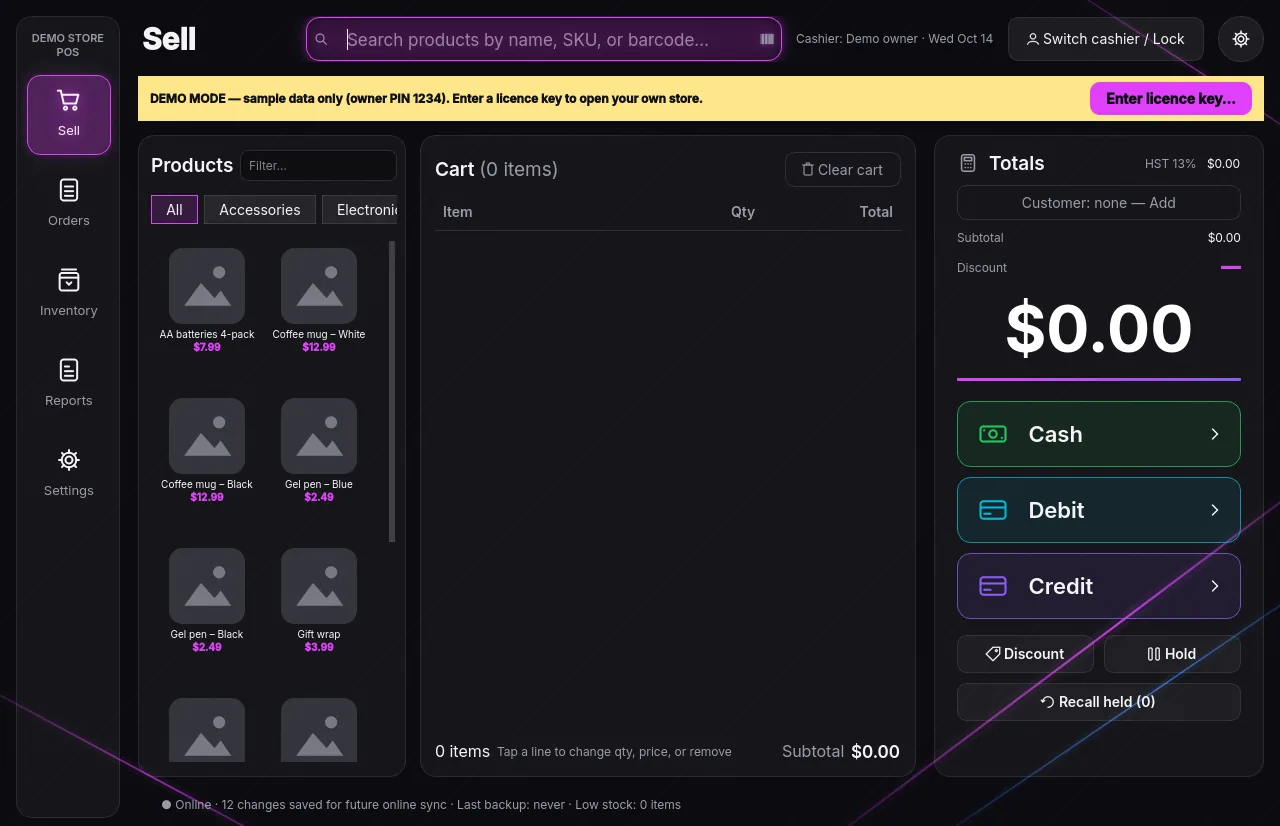
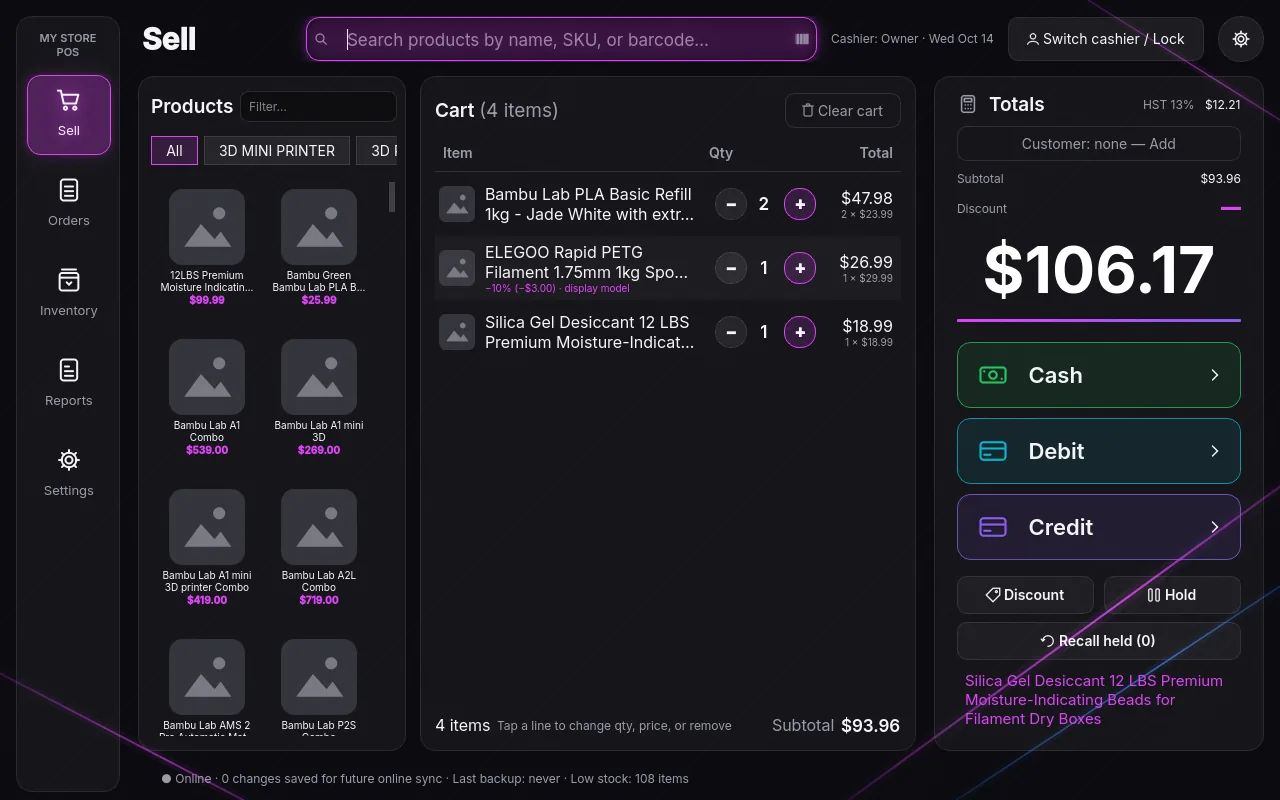
Aurum Commerce — Sell
Aurum Commerce sell screen showing a cart, totals and Cash, Debit and Credit buttons
Why Aurum

Own your point of sale.
Don’t rent it.

Most point-of-sale software is rented by the month. Aurum Commerce is bought once and runs on your own PC.

Typical subscription POS
Aurum Commerce
Pricing
Monthly fees, forever
Pay once — it’s yours
Features
Locked behind higher tiers
Full feature set included
Your data
Stored on their servers
Stays on your PC
Internet
Often needed to sell
Not needed to sell
If you stop paying
Stops working
Keeps working
Works without internet

Internet down?
Keep selling.

Aurum Commerce runs on your own PC, so an outage doesn’t close your till. The everyday work of the counter carries on without a connection.

Works offline

  • SellingRing up sales and take cash, debit and credit
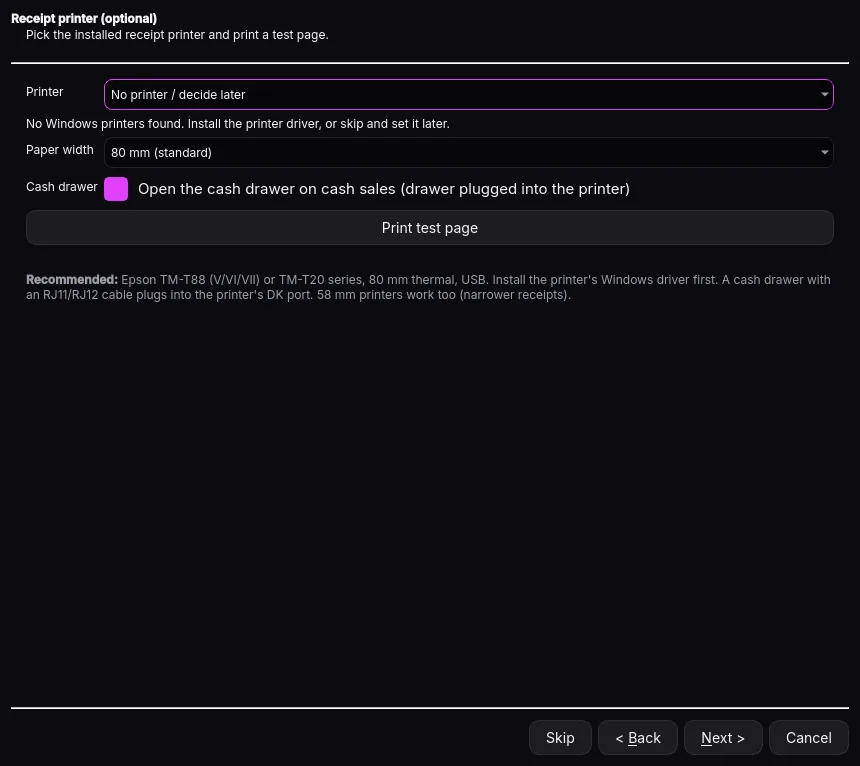
  • Printed receiptsPrint to your receipt printer and open the drawer
  • InventoryProducts, stock, receiving and refunds
  • ReportsDaily totals, tax and expected cash
  • USB backupsAutomatic backups to a USB or local folder

Needs a connection

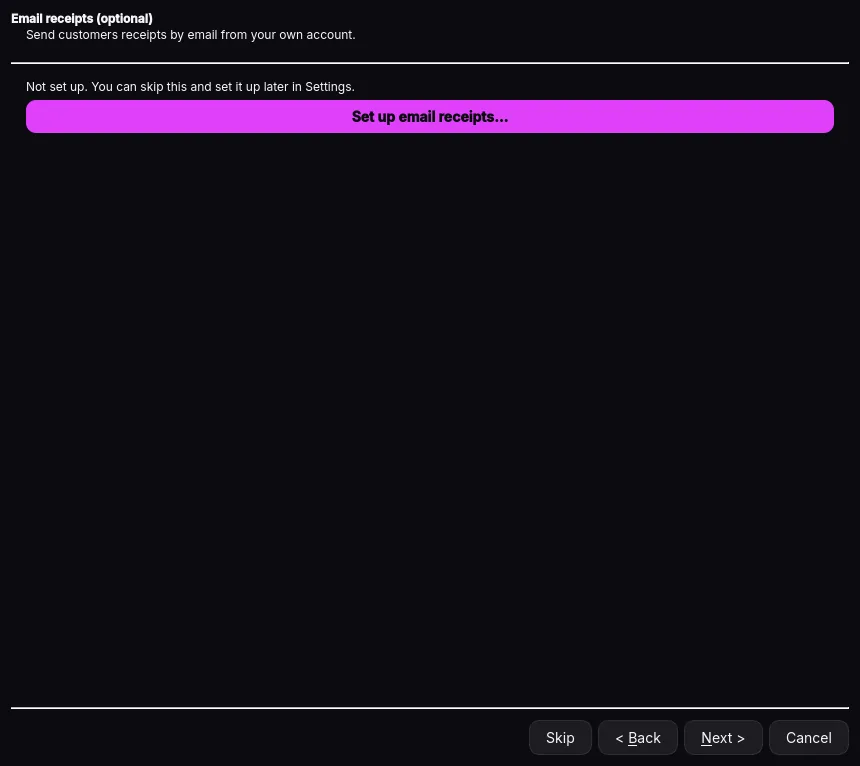
  • Emailed receiptsSent through your Gmail or Outlook account
  • Cloud-folder backupsGoogle Drive or OneDrive copies sync when you’re back online
  • Aurielle (coming soon)The in-app chat helper will need a connection
Features

Everything the counter needs.
Nothing it doesn’t.

Built for real shops: fast at the till, careful with your data, and simple enough to set up in an afternoon.

Fast checkout

Scan a barcode or type a SKU or name. Tap a cart line to change quantity or price, add a discount, or Hold and Recall a sale.

Cash, debit & credit

Enter cash given and the change is shown as the drawer opens. Record card payments from your own terminal, with its reference.

Print or email receipts

ESC/POS receipt printers on 80 mm or 58 mm paper, or email receipts from your own Gmail or Outlook account.

Products & stock

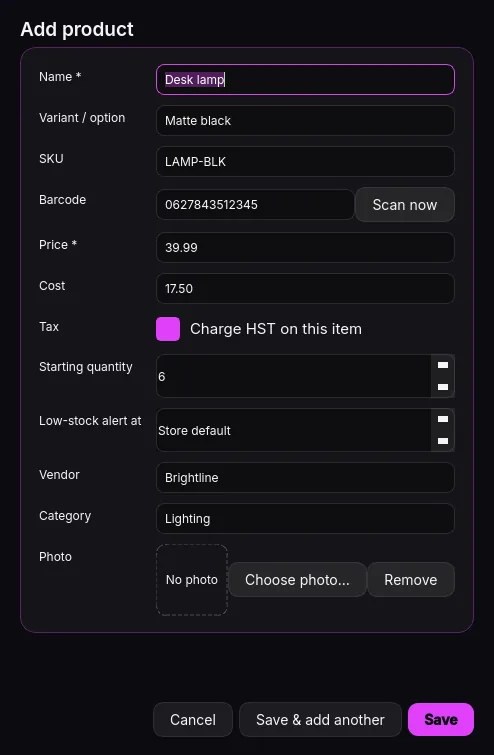
Variants, SKU, barcode, price, cost, stock, vendor, category and photo. Receive stock by scanning and see low-stock alerts.

Every province’s sales tax

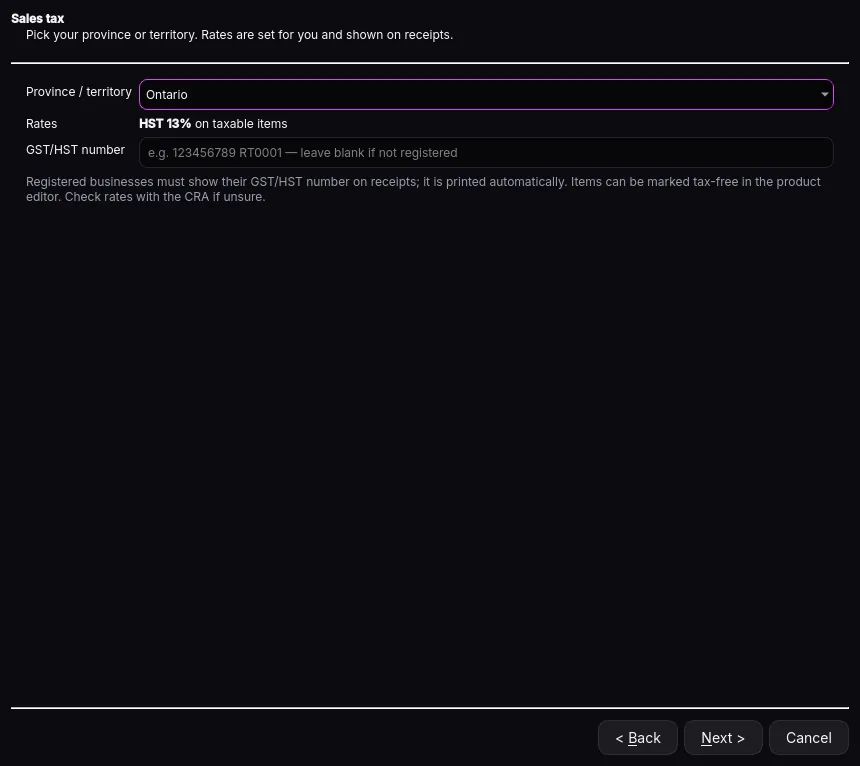
GST, HST, PST and QST rates for all provinces and territories. Receipts show the tax breakdown.

Automatic backups

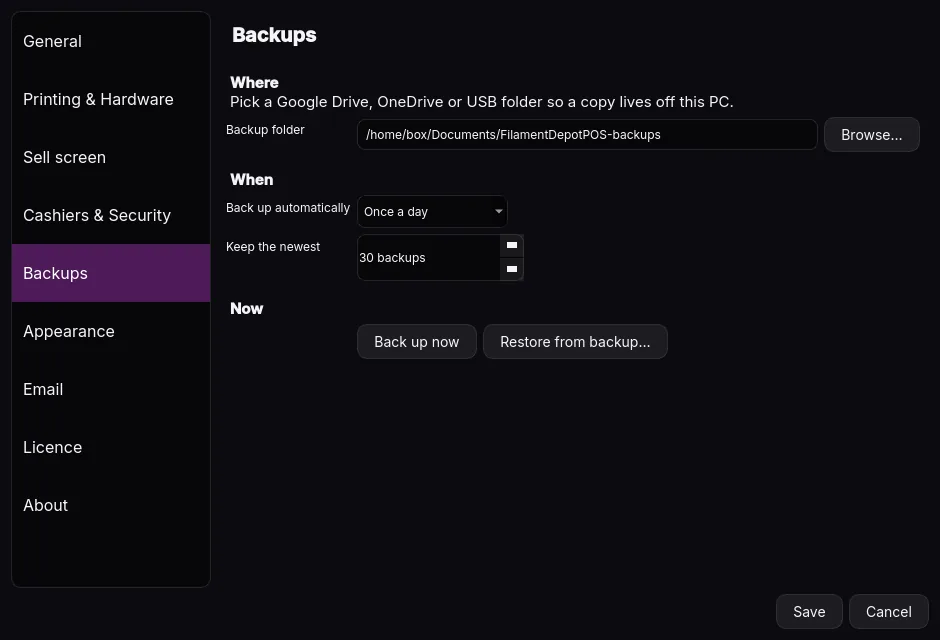
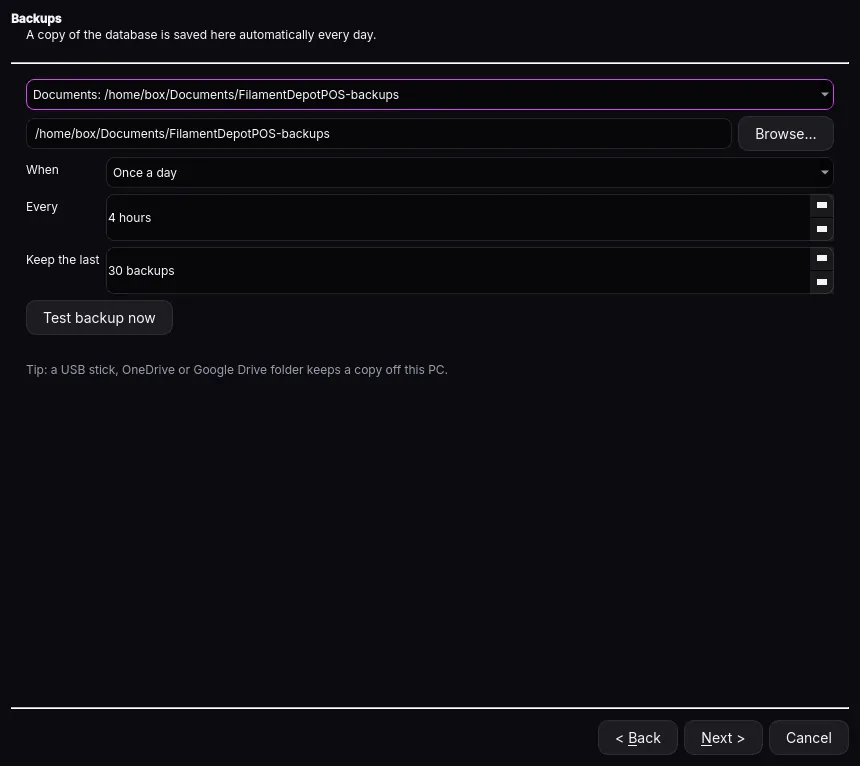
Once a day, every few hours or on close, to a Google Drive, OneDrive or USB folder. Restore makes a safety copy first.

Auto-lock & kiosk mode

The till locks after inactivity without interrupting a payment. Optional kiosk mode keeps cashiers in the POS.

Daily reports

Totals by payment method, tax, refunds and the cash expected in the drawer. Refund any sale from Orders.

Runs on your PC

No internet connection needed to sell. Your sales, products and customers stay on your computer.

Inventory

Your catalogue, imported in minutes.

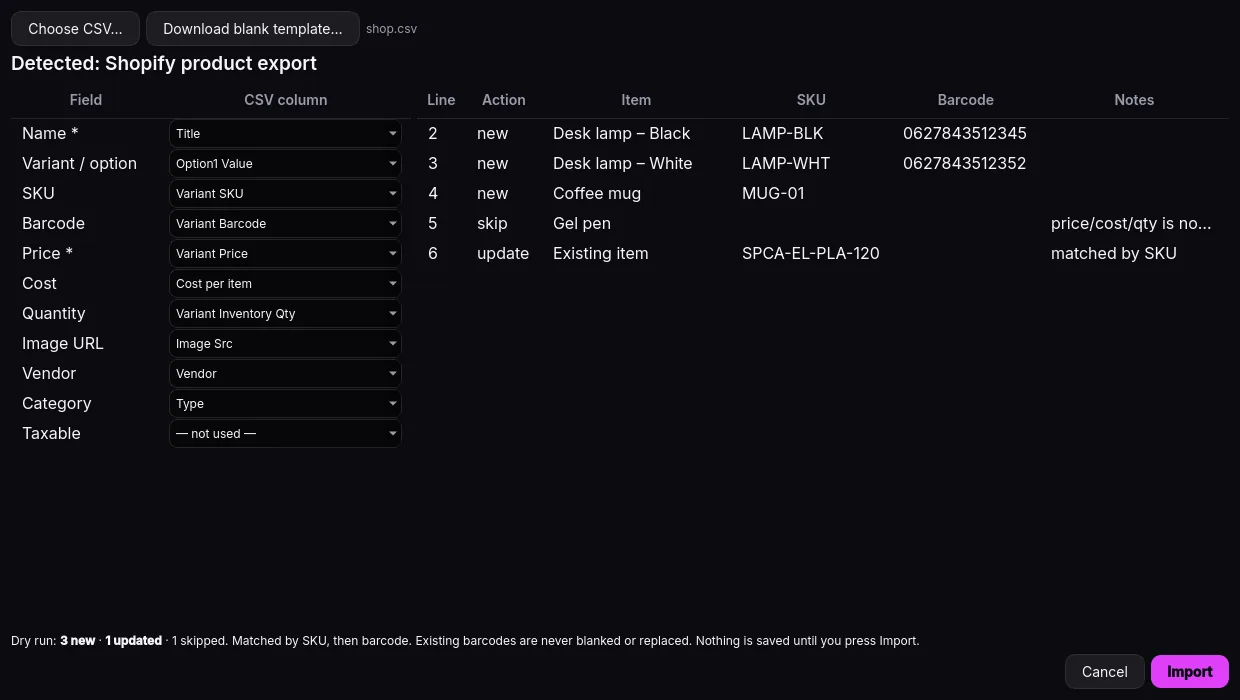
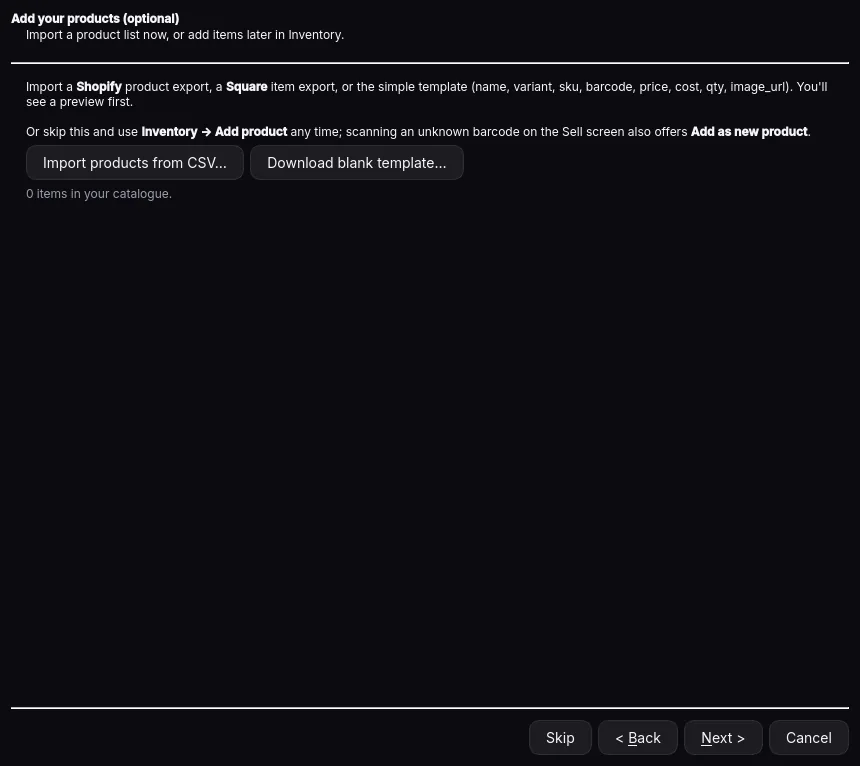
Bring products in from a CSV or a Shopify export and see a preview before anything changes.

  • Variants & photos with SKU, barcode, price, cost, vendor and category
  • Receive stock by scanning and adjust counts
  • Unknown barcode? Link it to a product with Ctrl+L
Import products from a CSV or Shopify export
New in 1.1.0

Locked down, never in the way.

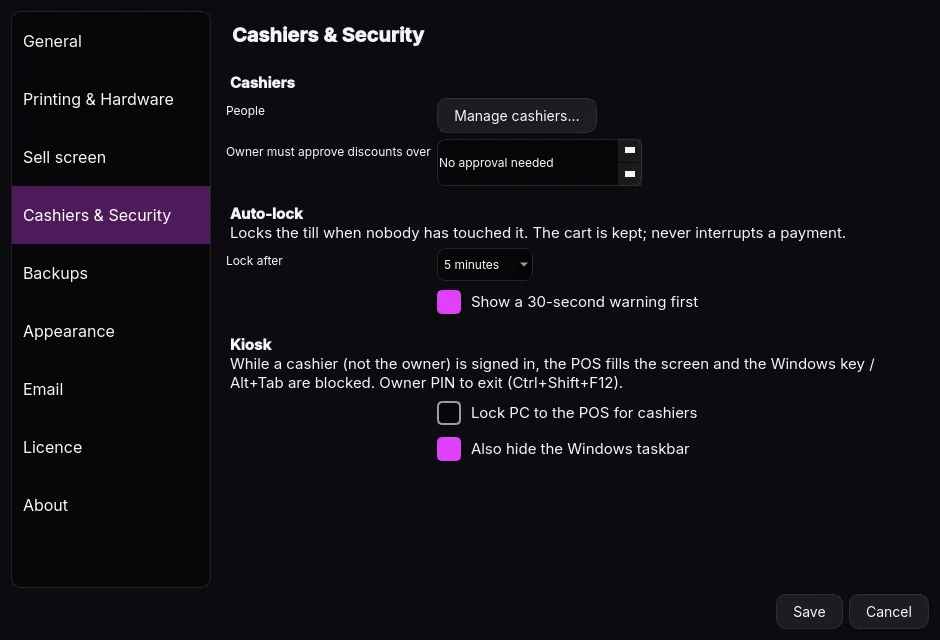
The till locks itself after a set time with no activity — but never in the middle of a payment, and the cart stays put.

  • Auto-lock: off, or 1 to 60 minutes, with an optional 30-second warning
  • Kiosk mode: the POS fills the screen and switching away is blocked for cashiers
  • Owner PIN required to close the app or leave kiosk mode
Cashiers & Security settings with auto-lock and kiosk mode

Coming soon

Meet Aurielle.

A friendly chat helper that will live right inside Aurum Commerce. Show her a product photo, a supplier invoice or a CSV and she’ll help add the items for you — or ask her about your reports in plain language.

  • Add items from product photos
  • Enter supplier invoices
  • Import from CSVs
  • Answer questions about your reports

How it works

From download to first sale.

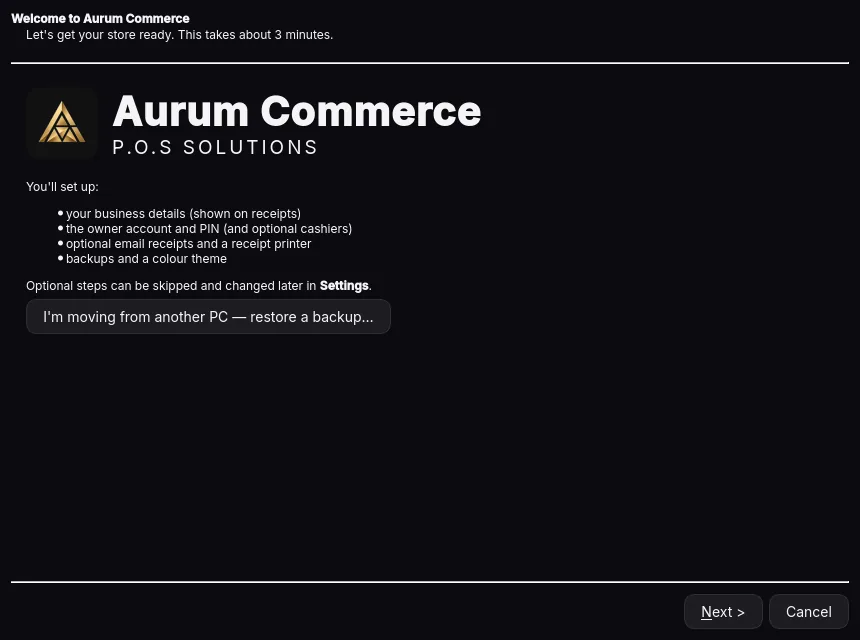
A guided setup wizard walks you through everything the first time you open the app.

Install

Run AurumCommerce-Setup.exe, accept the licence agreement and choose an optional desktop shortcut.

Try the demo

Without a key, the app opens a separate sample store so you can explore freely.

Set up your shop

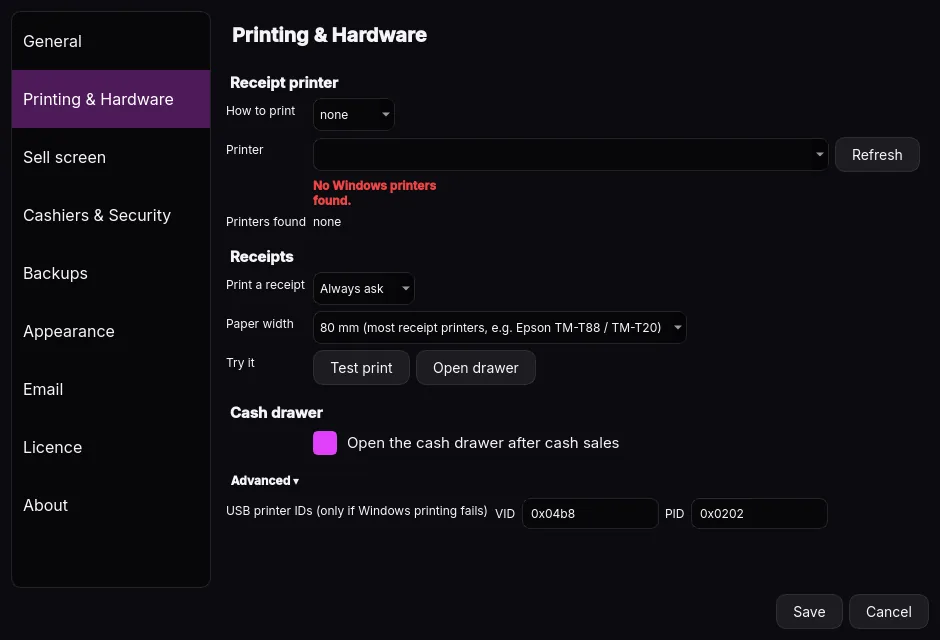
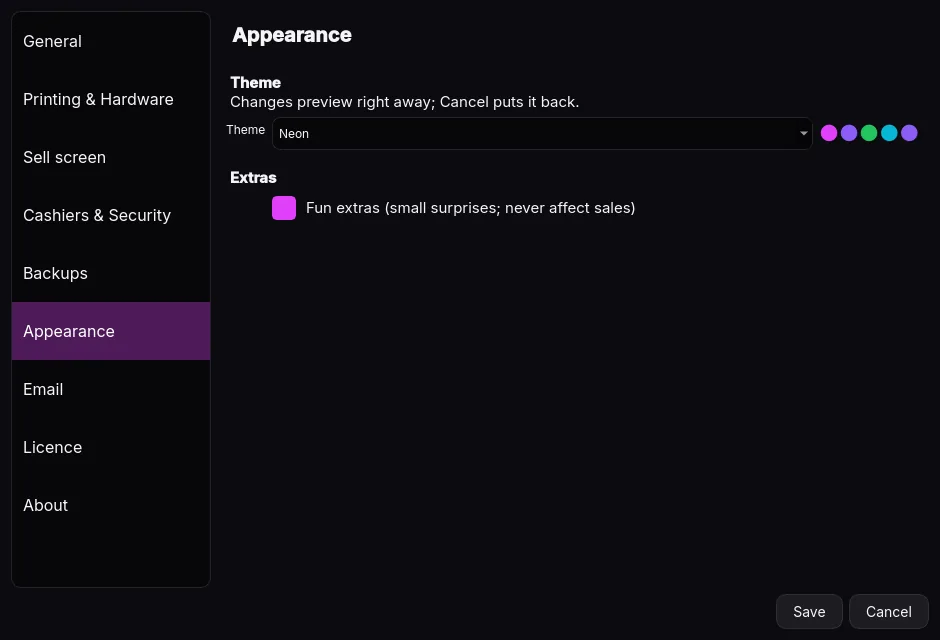
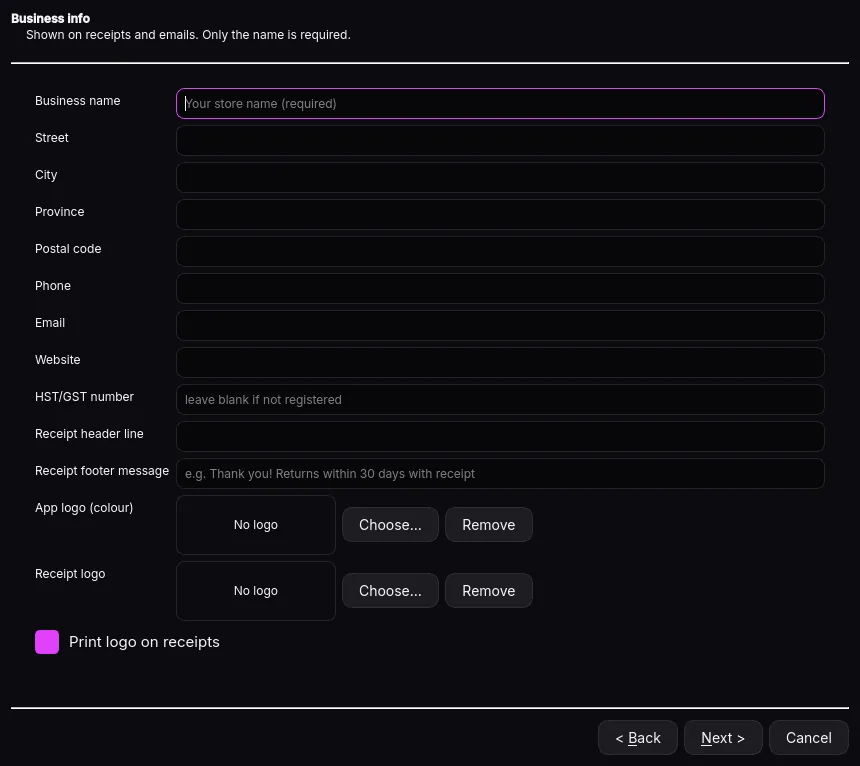
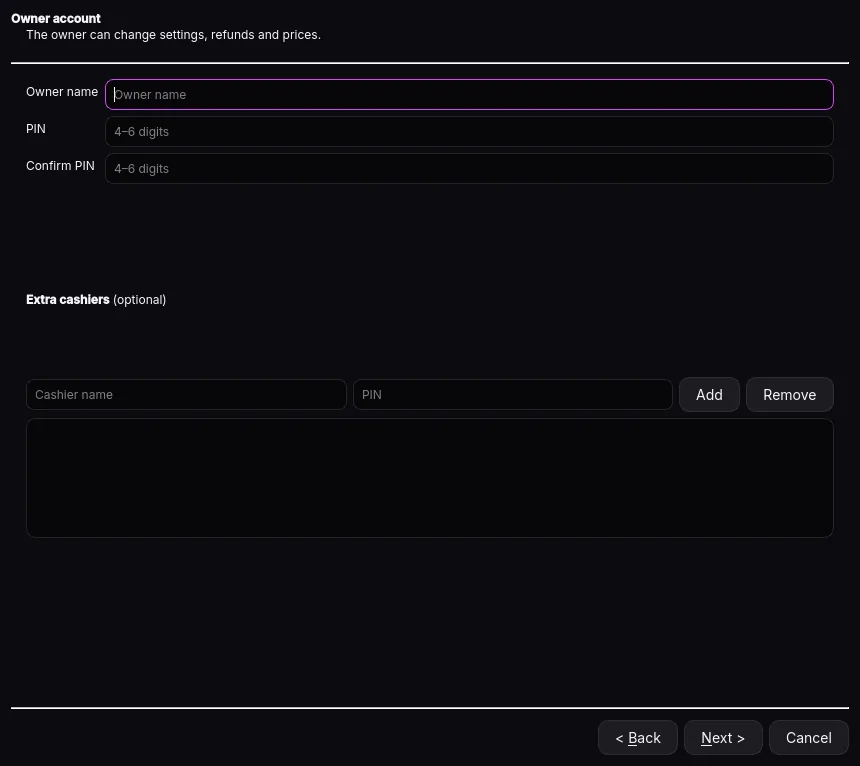
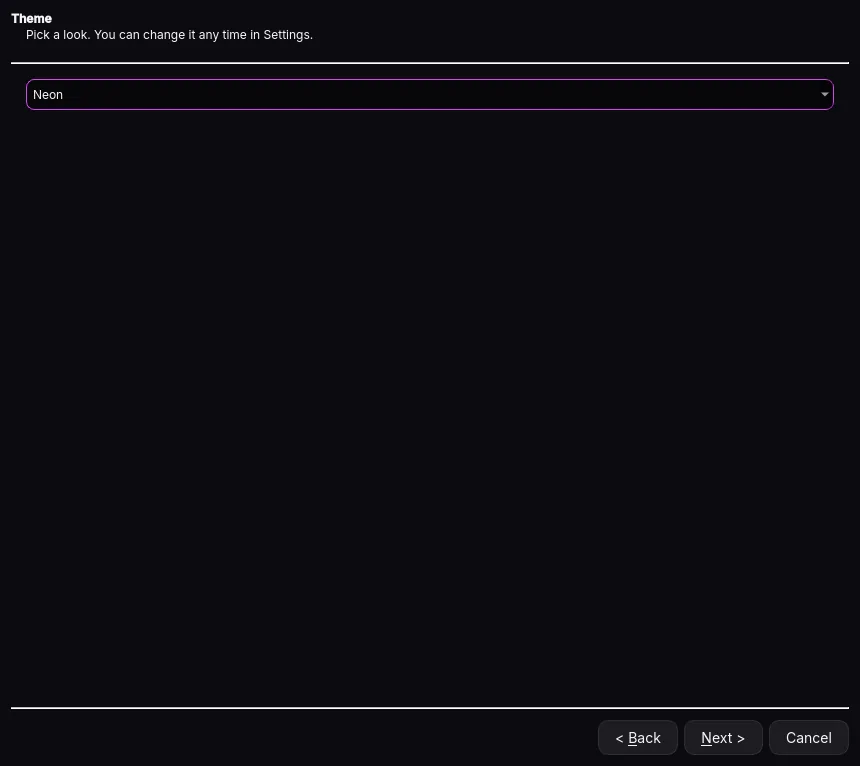
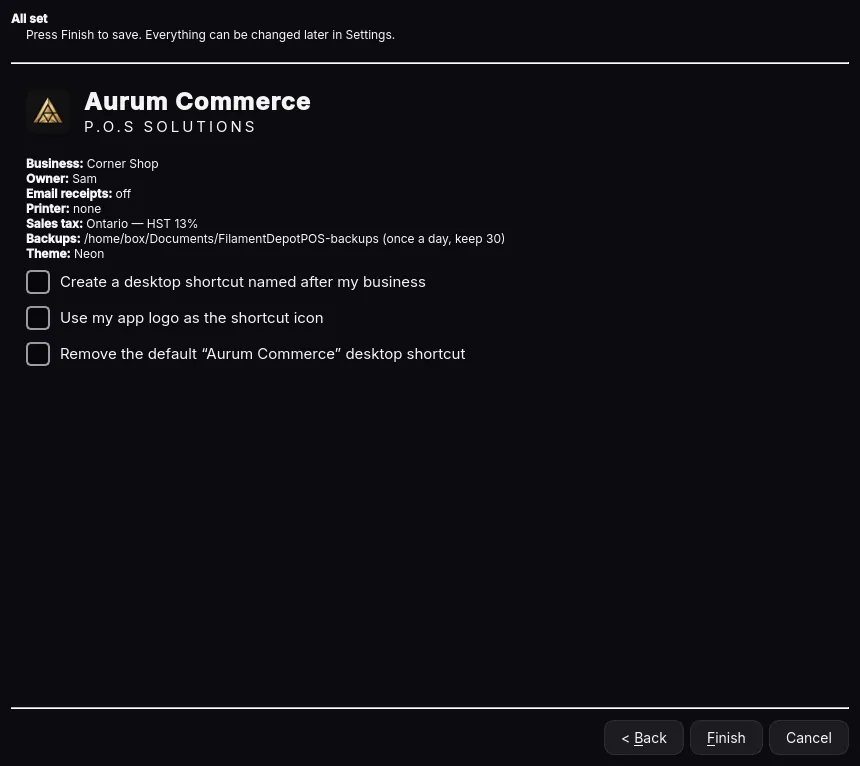
Business details and logo, tax province, owner PIN and cashiers, printer, scanner, backups, products and theme.

Activate & sell

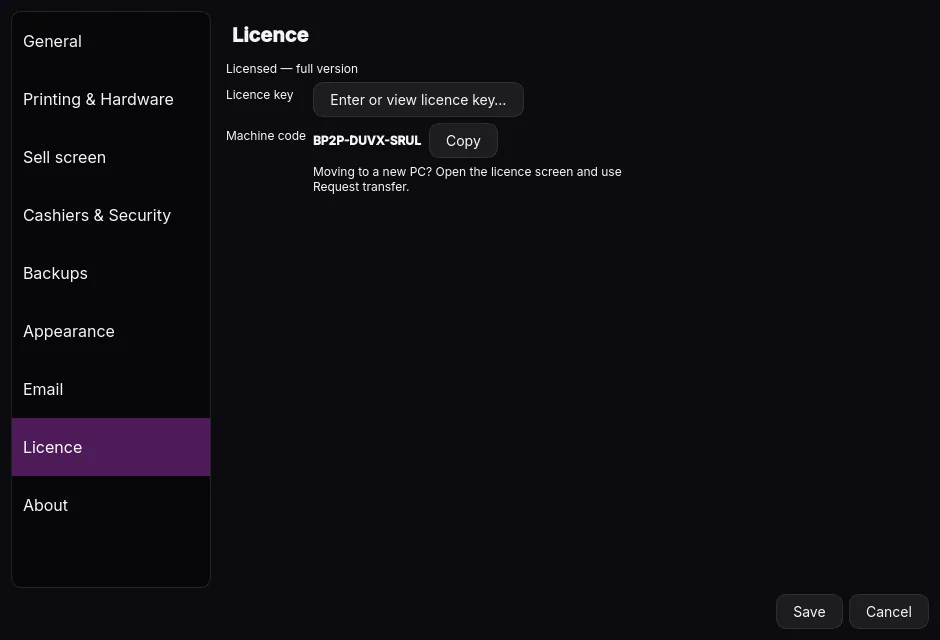
Paste your licence key in Settings › Licence, restart into your own store and start ringing up sales.

Setup wizard: Welcome
01 · Welcome
Setup wizard: Business details
02 · Business details
Setup wizard: Sales tax
03 · Sales tax
Setup wizard: Owner & cashiers
04 · Owner & cashiers
Setup wizard: Email receipts
05 · Email receipts
Setup wizard: Receipt printer
06 · Receipt printer
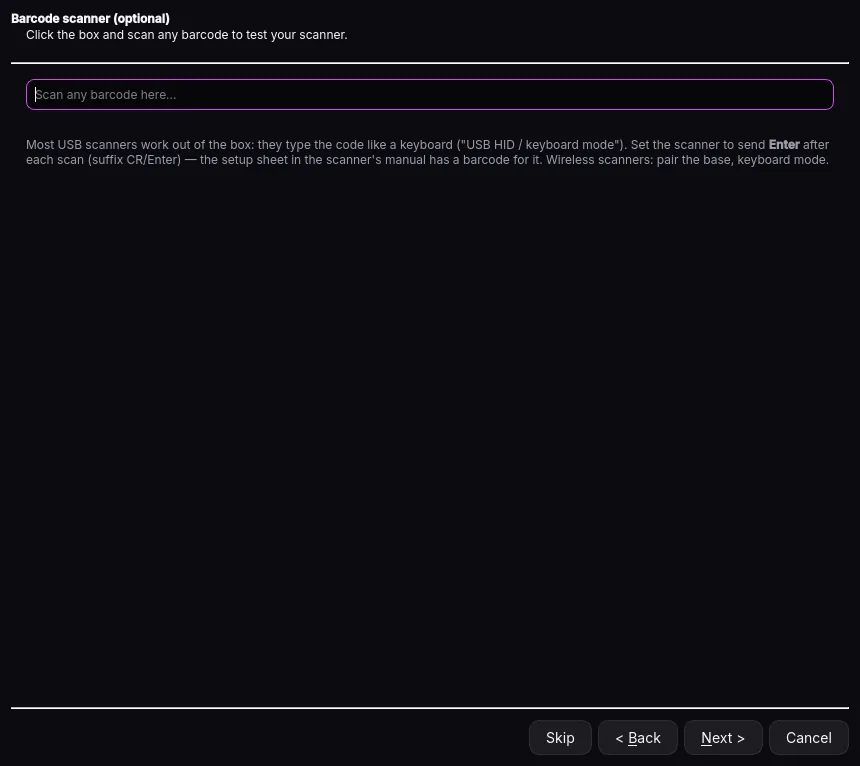
Setup wizard: Scanner check
07 · Scanner check
Setup wizard: Backups
08 · Backups
Setup wizard: Products
09 · Products
Setup wizard: Theme
10 · Theme
Setup wizard: Finish
11 · Finish
Leigh Parker, founder of Aurum Commerce
Leigh Parker, Founder, Timmins, ON
About

Built by a shop owner, not a subscription company

Hi, I'm Leigh Parker. I've spent 25 years in retail, run my own window tint shop, TintLife, for 6 years, and opened my own retail store, Filament Depot, 3 months ago.

I built Aurum Commerce here in Timmins, Ontario, because I was tired of overpaying for POS subscriptions. That's why it's a one-time purchase.

Aurum is one shop owner, not a big software company, and it runs in my own store, Filament Depot.

Keep your money in your own pocket.

Pricing

Buy it once.
Own it forever.

A one-time purchase with no subscription. Every licence includes 2 years of updates and support, and the software keeps working after that.

Launch price · first 25 stores
$349.99 CAD

For one register. Available to the first 25 stores, one per business.

  • One-time purchase, no subscription
  • 2 years of updates and support
  • 30-day refund from your key purchase date
Buy now
Regular price
$599.99 CAD

For one register, once the 25 launch licences are gone.

  • One-time purchase, no subscription
  • 2 years of updates and support
  • 30-day refund from your key purchase date
Buy now
Extra registers
$199 CAD each

Add more Windows PCs to your store. One register per key.

  • Free 30-day trial before you buy
  • Runs offline, on your own PC
  • Move a licence to a new computer
Buy now

Buy a licence

You’ll pay securely on Square. Your licence key is emailed to you after payment.

Subtotal: $349.99 CAD

Prices in CAD, plus applicable taxes. See our terms of sale.

By downloading you agree to the Trial Terms.
FAQ

Questions, answered.

Can I try it before buying?
Yes — download the free 30-day trial. Without a licence key, Aurum Commerce opens in demo mode with its own sample store (owner PIN 1234). Receipts are marked DEMO and your real data is never touched. Enter a key whenever you’re ready.
How does licensing work?
Aurum Commerce is a one-time purchase, one PC per key. There’s no subscription and the licence never expires. Paste your key (it starts with AURUM-; spaces and dashes don’t matter) in Settings › Licence and click Activate.

What happens after 2 years?
Your purchase includes 2 years of updates and support. After that, Aurum Commerce keeps working exactly as before — nothing is switched off and your data stays on your PC.
Is there a refund?
Yes. You can request a full refund within 30 days of purchase. After a refund, the licence key is cancelled.
What if I get a new computer?
Install on the new PC, open the licence screen and click Request transfer…. It prepares an email with your key ID and new Machine code, and you’ll receive a replacement key.
Does it process card payments?
No. Take debit and credit on your own payment terminal, then record the payment in Aurum Commerce (you can add the terminal’s reference). Card refunds are also done on your terminal.
Do I need the internet?
Not to sell. Aurum Commerce runs entirely on your PC. Selling, receipts, inventory, reports and USB backups all work offline. Internet is needed for emailed receipts, Google Drive backups and the upcoming Aurielle chat helper.
What hardware does it support?
Windows 10 or 11 (64-bit), a 1366×768 or larger screen and about 150 MB of disk space. Optional: an ESC/POS receipt printer (80 mm or 58 mm, e.g. Epson TM-T20 / TM-T88) with cash drawer, and a USB barcode scanner that types like a keyboard.
Windows says “Windows protected your PC”. Is that normal?
The installer isn’t code-signed yet, so SmartScreen may show this warning. Click More info, then Run anyway.
Will upgrading keep my data?
Yes. Close the app and run the new installer over the old version. Your data is stored outside the program folder and is kept.

Bring a touch of gold
to your counter.

Download Aurum Commerce and try it free for 30 days. Buy once when you’re ready — no subscription, ever.

By downloading you agree to the Trial Terms.

Version 1.2.1 · Windows 10 & 11 (64-bit)